Ultra-Secure Data Centre
We offer a full range of ultra-secure data centre services including server colocation, rack space, dedicated servers, VPS virtual servers, web site hosting, exchange and email hosting, mass data storage, remote off-site backup, and failover and disaster recovery solutions.
Enterprise data storage with massive capacity
Our entire facility is geared towards providing impregnable data storage services. Physically shielded from interference by steel reinforced armoroured concrete walls and digitally firewalled behind several layers of online security, we have the ideal environment for protecting data from all forms of intrusion, both online and by force.
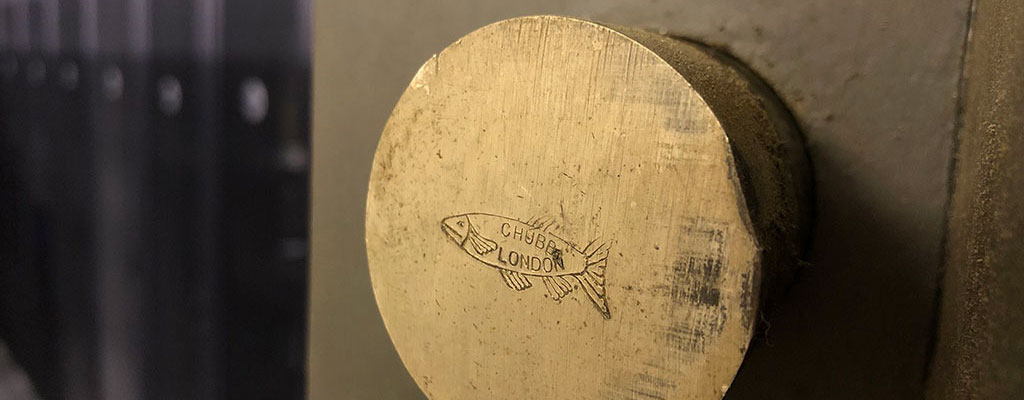
Our Secure Data Vault
We privately own our entire infrastructure and our facility is housed in an insurance specification bank vault. This is a massive vaulted chamber with 15 inch thick steel laced concrete walls and an unhackable mechanical vault door weighing over 2 tonnes. We combine this with multiple layers of both physical and online security including hardware perimeter firewalls, biometrics, and multiple independant alarms.
Custom built environment for maximum performance
Each 42u rack cabinet is equipped with dual 32amp managed and monitored PDUs that are connected to two completely separate power sources providing up to 64amps of redundant power per cabinet. We have multiple leased line providers already on-site and our infrastructure includes Cisco routers and switches, QoS bandwidth management, redundant central and dedicated UPS power backup units, redundant air conditioning, GSM SMS based environment and uptime monitoring, and 3-phase generators keep everything running even when the worst happens.
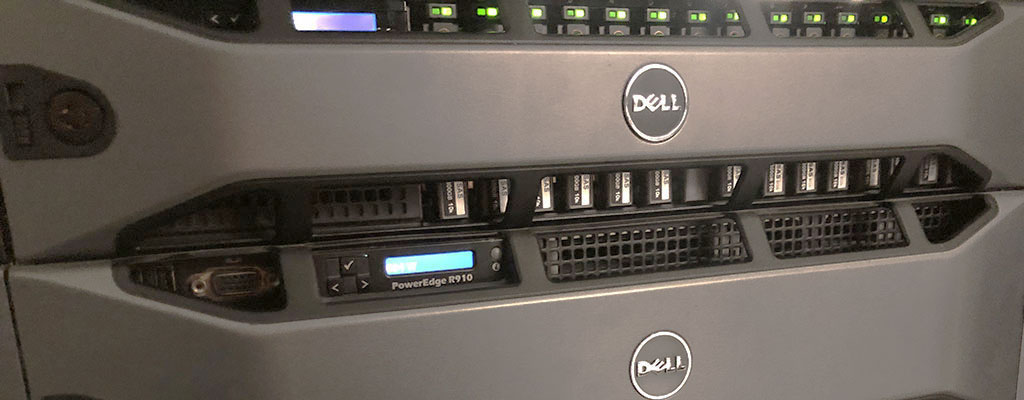
Our Services
Our colocation server hosting is ideal for anyone that want their own private environment but also their own personally configured hardware. Our colocation hosting allows you to bring in your own server and host it in our secure vaulted data centre.
Server colocation hosting includes:
— Complete freedom to host on whatever hardware you want
— Remote power reboot and KVM over IP facilites
— Up to 64amps per 42u cabinet with no weight restrictions
— Hands on technical support when you need it
— Access to your server 24 hours a day
Our colocation packages are charged in combination with the unit height of the server. Please get in touch for a quote.
Our Dedicated server hosting is ideal for anyone that need dedicated performance behind their applications or services. Instead of sharing resources with other users, a dedicated server gives you the entire server to yourself to do exactly what you want with.
Dedicated server hosting includes:
— MASSIVE dedicated processing power
— Reduced slowdown from heavy IO or peak time usage
— Your choice of operating system
— Full root and Administrator access
— Dedicated CPU, memory, and hard drive space
— Completely independant and private
Dedicated servers come in all shapes and sizes but the key things to look out for when browsing are decent Processors and proper hardware RAID with SAS/SCSI/SSD. All servers we supply are from Dell and come as standard with proper hardware RAID and Xeon CPUs.
Our virtual Server hosting (sometimes called virtual dedicated servers or VPS/VDS) is ideal for anyone that wants their own bespoke private server environment while still keeping costs low. We achieve this with VMWare which enables us to install multiple completely independant operating systems on a powerful shared hardware platform. The end result is a virtual server that looks and feels like a dedicated server so much that even the operating system doesn't know it's virtualised.
Virtual Server hosting includes:
— Your choice of operating system
— Full root and Administrator access
— Dedicated CPU, memory, and hard drive space
— Completely independant and private
— A dedicated server feeling with reduced costs
If you need more information on our VMWare hosting services or a quote please contact us or visit our dedicated site vmwares.uk .
Our remote backup facilities are able to capture anything from designated folders to entire operating systems which can be scheduled for any time, day or night and even multiple times a day. We can further tailor this to keep multiple snapshots that be stored for as long as you like and for added peace of mind, we also offer a offline backup solutions where your data is stored completely offline in a 4 tonne steel safe.
Our remote backup and failover includes:
— MASSIVE capacity both for storage and bandwidth
— Instantly restore files to their original location
— Completely active process for maximum security
— Facilities for completley offline backup storage
— Seamless integration with Windows, Mac or Linux
— Where better to store your remote backup than in a bank vault?
If you need more information on our vaulted data backup services or a quote please contact us or visit our dedicated site vaulted.uk.
All of our services are bespoke built to your requirements
If you need any further information about any of our services please Contact Us.
How can we help?
Whatever your industry or size, if you're faced with a hosted solution that struggles to meet the increasing demands and security requirements of your business, we can deliver a secure infrastructure that reduces complexity, improves security and accelerates how applications are built, deployed and run across the the internet.
Can't find what you're looking for? Please contact us, I'm sure we can help.
Phone: 0845 388 9891
Local: 01202 375 079
Email: info@darknebulae.net
Dark Nebulae LTD
106 Old Christchurch Road
Bournemouth
Dorset
BH1 1LR